Search everything
Search each source with fuzzy or literal matching. Filter Android and WebView entries by severity; native Android logs also support exact tag and PID filters.
Device Log Viewer + WebView Logger
Android Logcat, iOS syslog and WebView consoles, in one browser workspace. Connect a device, combine native and JavaScript logs, then search, inspect and export the context.
npx uber-device-log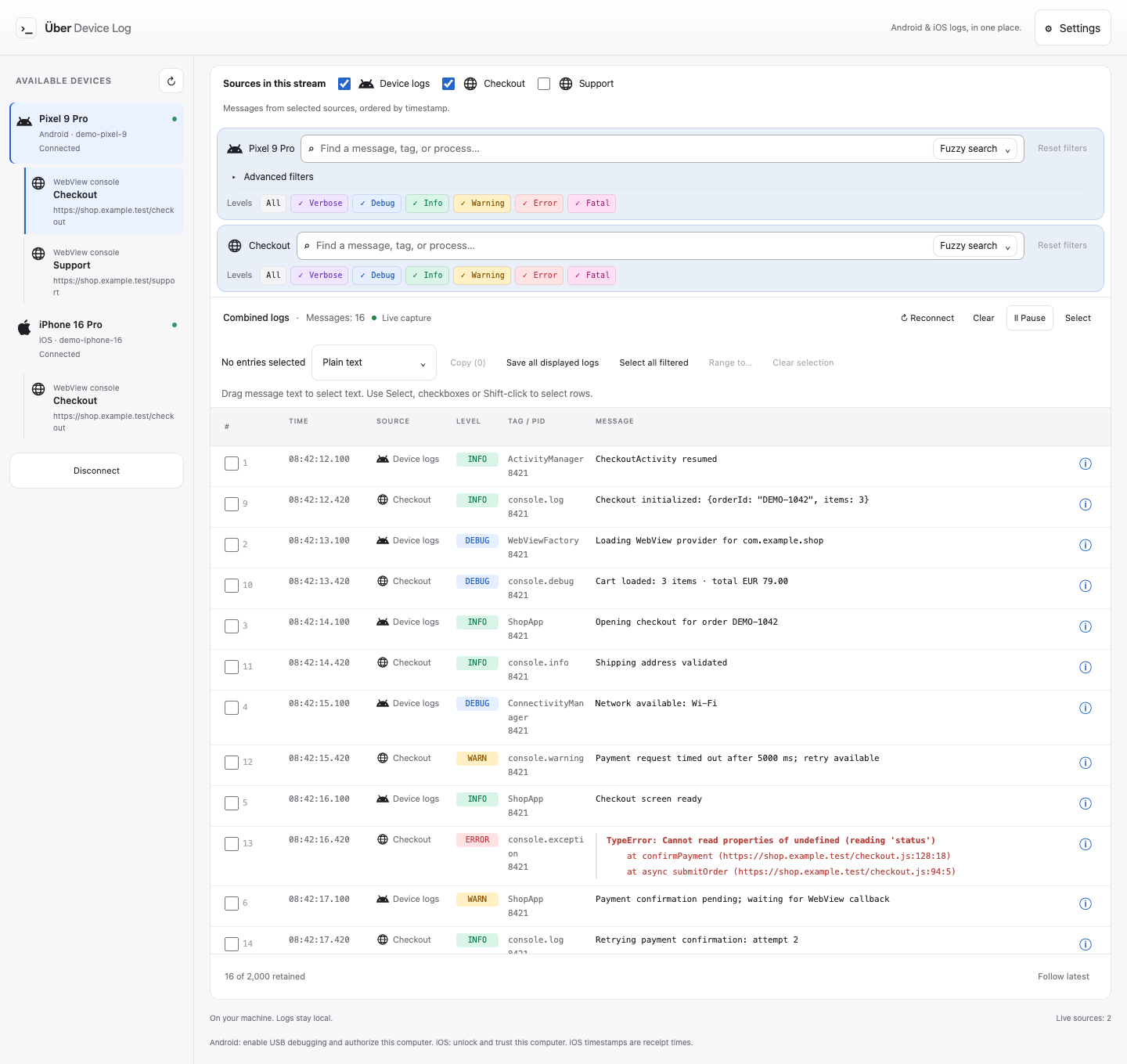
Capture JavaScript console calls and uncaught exceptions from inspectable Android and iOS WebViews. Combine native logs and multiple WebView consoles from the same device in one view, merged by timestamp.
Search each source independently, filter Android and WebView severity, and export entries with their source identity intact. Native iOS syslog has no severity filter.
Android apps must enable WebView debugging. On iOS, enable Safari’s Web Inspector and expose the app’s WKWebView for inspection. No additional proxy, browser extension or Appium server required.
WebView setup guide ↗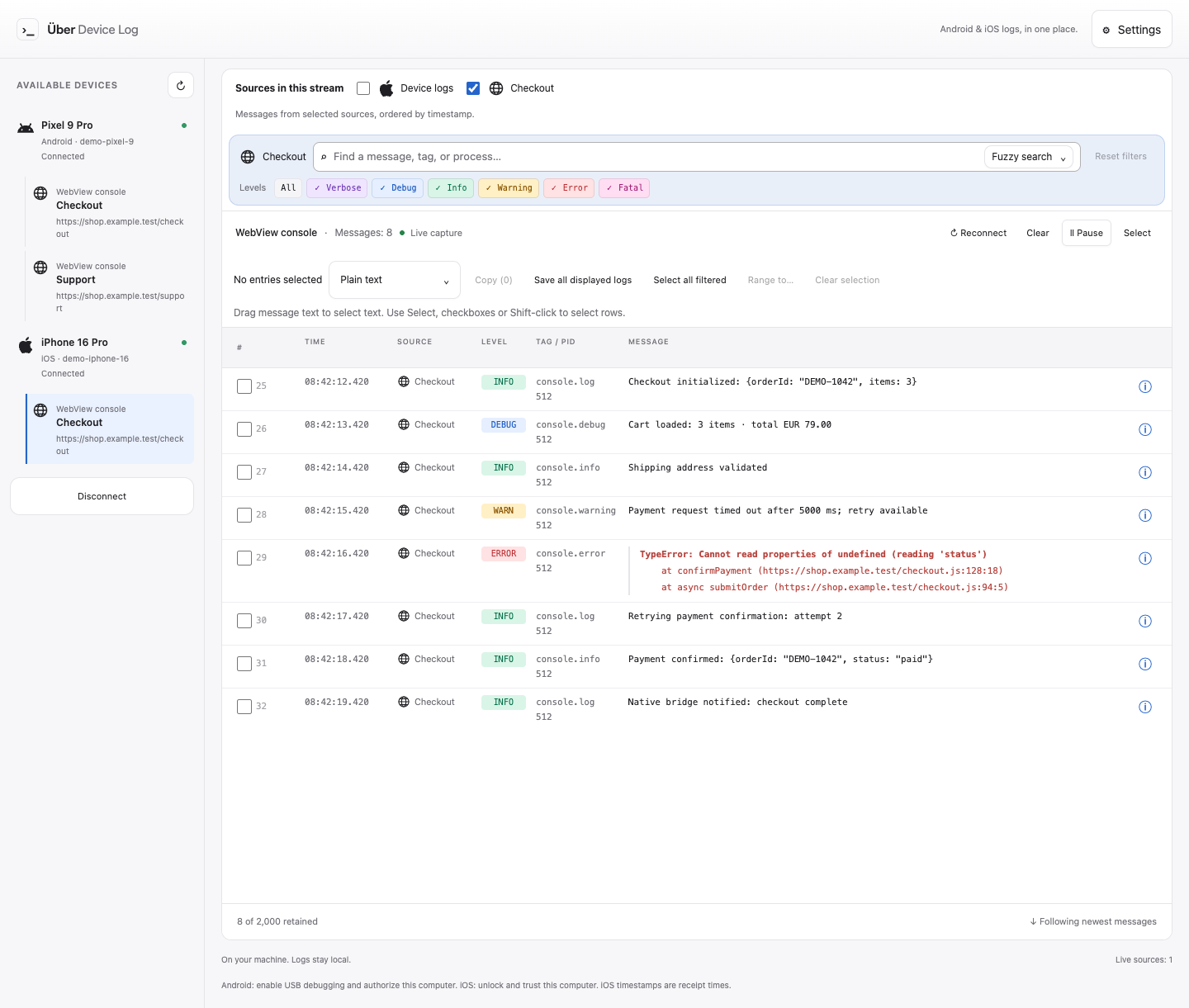
Search each source with fuzzy or literal matching. Filter Android and WebView entries by severity; native Android logs also support exact tag and PID filters.
Freeze the view while capture continues. Select complete entries, inspect their details, then jump back to live.
Copy or save selected entries as plain text or structured JSON. Original messages, metadata and multiline traces stay intact.
Open the info button to unpack a message: process, source, exception, path and reported reason, when available. Parsing rules explain recognized patterns without pretending to know the root cause.
Read the technical docs ↗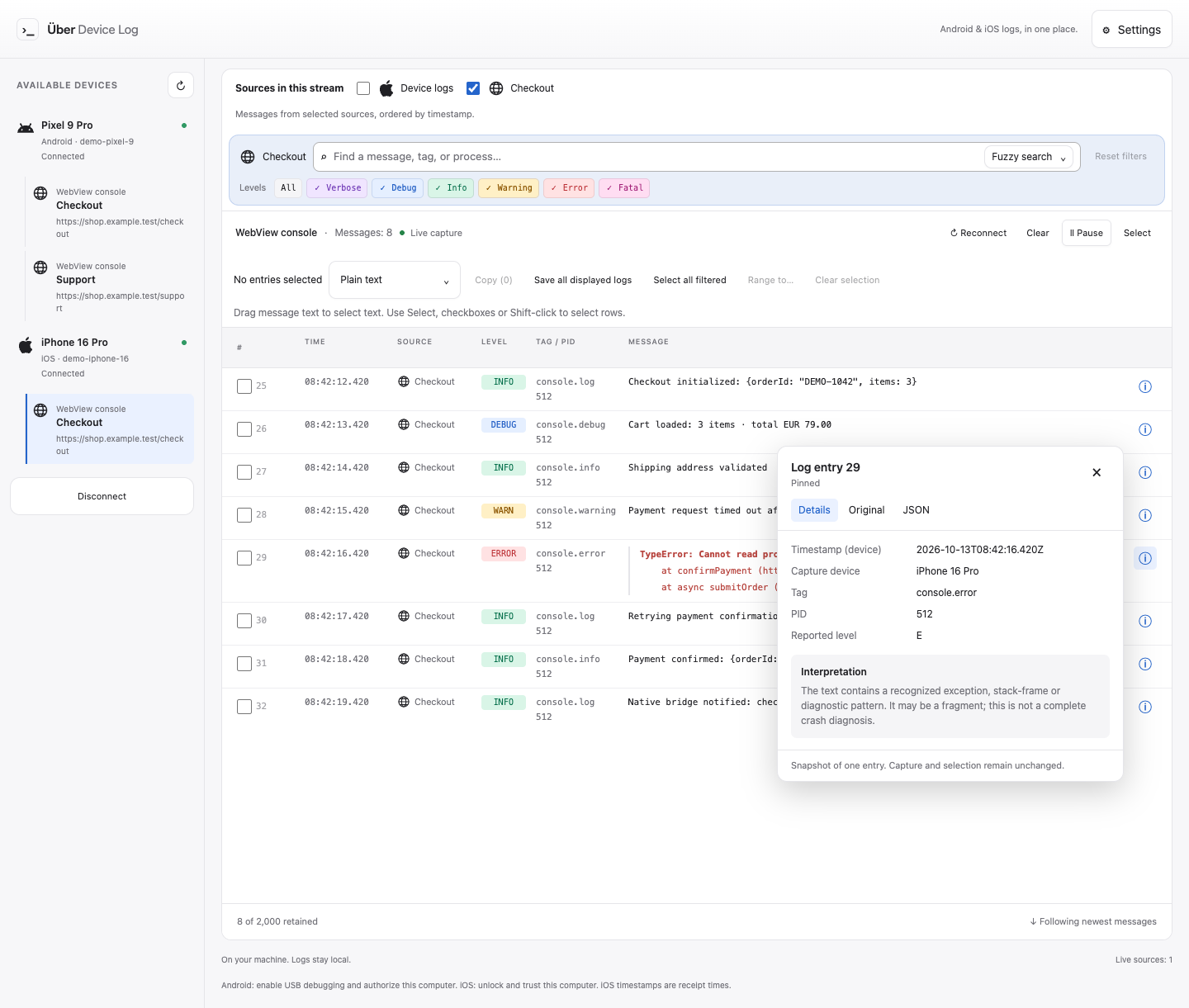
Android Logcat uses ADB from Android SDK Platform Tools on macOS, Windows and Linux. For iPhone and iPad syslog, macOS uses Apple’s device service; Linux needs usbmuxd, and Windows needs compatible Apple mobile-device support. macOS is the primary validation environment; Windows and Linux still need validation.
Requires Node.js 22.12.0 or later and a browser. Node.js must be on PATH, even with bunx. Run with npx or bunx, or install globally and launch with udl.
iOS capture uses the legacy syslog relay (com.apple.syslog_relay), not the full Apple unified logging system shown in Console or Xcode. Unlock and trust the device; available logs depend on the device and iOS version.
npx uber-device-logSeven interface languages. Open source.
Explore on GitHub ↗